
How to Sell an AI Tool Without Hosting, Deploying, or Managing API Keys
You built something useful with Claude, ChatGPT Canvas, Lovable, or another AI tool. It works. People would probably pay for it. But every path you've looked at so far assumes you know how to deploy code, pay for hosting, write product pages, and — if your tool calls an AI API — somehow solve the problem of billing those calls to the buyer.
You can skip all of that. This post walks through what the standard path actually requires, why it's broken for AI-built tools, and what the zero-friction version looks like.
The five things every other platform quietly assumes you'll handle
Platforms like Gumroad, Ko-fi, or CodeCanyon are fine if you're selling a PDF, a Figma template, or a zip file of code that someone else will run. They fall apart the moment you try to sell an interactive, working AI tool — because that tool has to actually run somewhere, and that "somewhere" becomes your problem.
Here are the five unspoken requirements.
1. Deployment
Your tool works in Claude's preview window. Now make it work on the open internet at a URL anyone can visit. That means picking a host (Vercel, Netlify, Cloudflare Pages), connecting a GitHub repo, configuring build commands, picking a Node version, and debugging why npm run build fails on the first try. If you're not a developer, this is where most people give up. If you are a developer, it's still a 30-to-90-minute tax you pay every time.
2. Hosting
Once it's deployed, someone has to keep paying for the server. You also inherit the boring infrastructure work: renewing SSL certificates, watching for downtime, handling traffic spikes, dealing with the one weirdly-shaped edge case that only breaks on Safari. Most creators underestimate this until the first support email arrives.
3. Pricing
What does a niche calculator cost? $9? $19? $49? What about a dashboard? A game? A specialized AI interface? There's no obvious answer, and if you price too high you get no sales, too low you leave money on the table. Most AI-assisted creators spend more time agonizing over the price than they spent building the tool.
4. Listing and documentation
Every marketplace wants a product page. Title. Description. Tags. Screenshots. Use cases. A quick-start guide so buyers know what to do after purchase. A license so they know what they're allowed to do with it. Professional documentation if you want to charge more. This is often 2–4 hours of writing per tool, and it's the step that turns a 30-minute build into a half-day project.
5. API keys (the one nobody talks about)
Here's the blocker that kills more AI tools than all of the others combined. If your tool calls Claude or OpenAI — which most interesting AI-built tools do — every buyer has to go sign up for Anthropic, add billing, generate an API key, come back to your tool, and paste it in. A significant share of buyers abandon at this step. Worse, you have no way to charge them for the API usage. You either lose the sale or eat the cost yourself.
No general-purpose marketplace solves this. They can't. It requires hosting the tool, proxying the AI calls, and handling the billing — which is a full technical stack, not a storefront.
The shortest path from "it works" to "it's selling"
Xenyyo exists because once you remove those five blockers, selling an AI-built tool becomes genuinely simple. The full flow looks like this.
Step 1. Build in your AI tool of choice. Claude Artifacts, ChatGPT Canvas, Lovable, Cursor, Bolt, v0 — whatever you already use. Single-file HTML, JSX, or TSX for now. Multi-file support is on the roadmap.
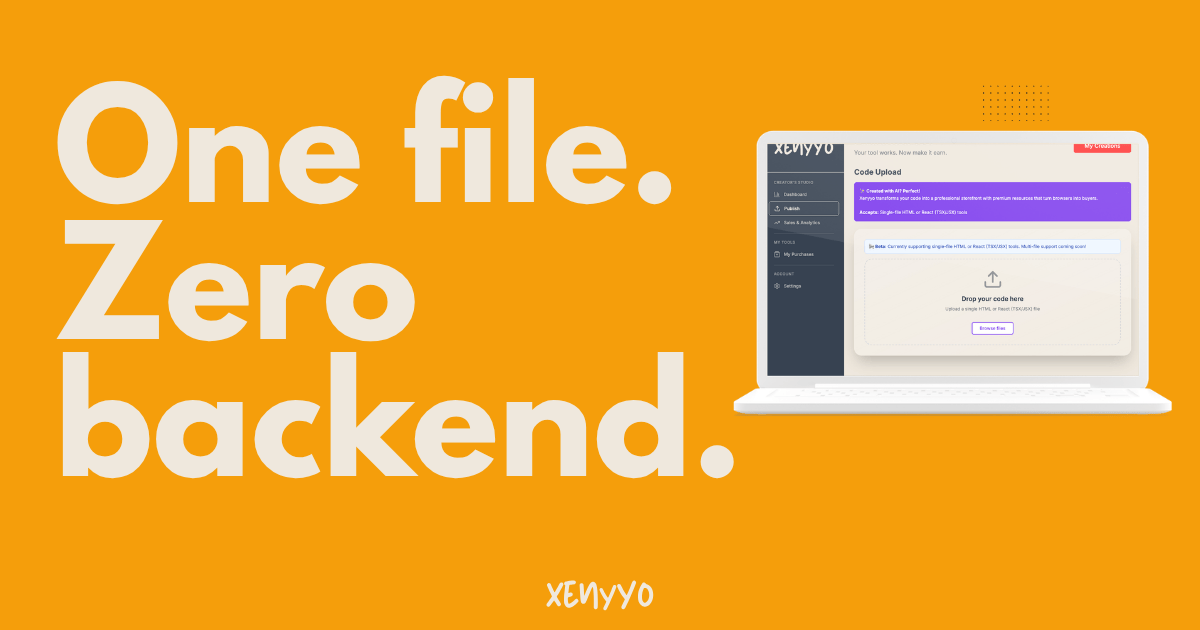
Step 2. Upload to Xenyyo. One file. That's the whole deliverable — no folder structure, no package.json, no build step, no deployment config. You drag in the file and that's it.
Step 3. Review and publish. This is where the work you expected to do disappears. An AI pipeline reads your code in 8 to 17 seconds and drafts a complete marketplace listing — title, description, category, tags, use cases, suggested price based on complexity and category. You see the result, tweak anything that doesn't sound right, add a short "creation story" in your own voice (the one thing the AI can't write for you), and hit publish. The listing work that used to take two hours now takes about five minutes of review.
Step 4. Earn. The tool is live at a xenyyo.com URL, discoverable in the marketplace, and ready to sell. From this point forward, every purchase triggers a fully automated fulfillment: Xenyyo generates a Quick Start Guide written specifically for your tool, a set of AI customization prompts buyers can use to modify it, a commercial license (Pro bundle), and a deployment kit for buyers who want to host it themselves (Pro bundle). If your tool calls Claude or OpenAI, each purchase comes with 50 free API calls bundled in — proxied through Xenyyo so the buyer never touches an API key, and you never eat the cost. Creators keep 77% of every sale, with payouts handled through Stripe Connect. You set that up once and forget about it.
What this means in practice
The five blockers from the first section map to the platform like this:
- Deployment: handled. Your file runs on Xenyyo's infrastructure.
- Hosting: handled. Lifetime access for every buyer, at no ongoing cost to you.
- Pricing: suggested by the AI based on category and complexity. You can override it; most creators don't.
- Listing and documentation: drafted automatically, per tool, per purchase.
- API keys: handled via a proxy. 50 gift calls per purchase, billing absorbed by the buyer's purchase price.
That's the full answer to "how do I sell a tool I built with Claude without deploying, hosting, or managing API keys." You upload one file. The platform does the rest.
Frequently asked questions
Can I sell a tool I built with Claude Artifacts?
Yes. If it's a single .html, .jsx, or .tsx file that runs in a browser, it works on Xenyyo. That covers most Claude Artifacts by default.
Do I need to know how to code?
No. The single-file constraint exists specifically because it's what AI-assisted creators produce naturally. If you built it in Claude or ChatGPT Canvas and it works, you can sell it.
What about tools I built with Lovable, Cursor, Bolt, or v0?
Same rule. As long as you can export a single HTML, JSX, or TSX file that runs standalone in a browser, it's fair game. Multi-file projects are on the roadmap but not supported yet.
My tool calls the Claude or OpenAI API. Do I have to pass my API key to buyers?
No, and this is one of the core reasons Xenyyo exists. The platform detects external API calls at upload time and routes them through its own proxy. Each buyer gets 50 free API calls bundled with their purchase. Your code keeps working; nobody needs their own key.
How much do I earn per sale?
77%. The remaining 23% covers the platform commission and payment processing. There are no monthly fees, listing fees, or upfront costs. If nothing sells, you pay nothing.
What if my tool isn't a "real app" — just something small and niche?
That's most of the marketplace. Specialized calculators, educational quizzes, creative tools for small communities, personal dashboards, novelty generators. Small and niche tends to sell better than ambitious and generic, because the people who need your exact thing can actually find it.
How is this different from Gumroad or Ko-fi?
Gumroad and Ko-fi are excellent for static digital products — PDFs, ebooks, Figma files, videos. They don't host or run interactive tools, and they have no mechanism for proxying AI API calls. If your tool is a working thing that has to run somewhere, they're not the right fit.
How is this different from CodeCanyon?
CodeCanyon sells source code to other developers. The buyer is expected to be technical, run the code themselves, and deploy it. Xenyyo sells working tools to anyone — buyers click a link and the tool runs. No setup on their side.
What does "passive income" actually look like here?
Upload once, earn per sale, no ongoing effort. The platform handles listing generation on upload, then per-purchase it handles resource generation, delivery, hosting, API calls, and payouts. After you publish, the only work left is optional — responding to reviews, making new tools, or doing marketing if you want to grow faster.
If you've been sitting on a tool you built in 30 minutes and wondering whether it could actually earn something — it probably can. Start at xenyyo.com.